Use case: AI agents over MCP
Let your AI app prospect, on a MagpieCRM workspace.
Available now. Connect Claude Code, Cursor or Codex to your MagpieCRM workspace on Magpie Cloud over MCP. It can search for people and companies, build lists and draft campaigns. Sending stays with you.
- Status
- Available now, per MagpieCRM workspace
- Endpoint
/api/mcpon your workspace- Transport
- Streamable HTTP
- Sign in
- A Bearer key per app
- Credits
- 1 credit per person
searchPeoplereturns
Connect your own AI app
Make a key in Settings, under Connect AI apps, then add MagpieCRM to your client. Your AI can then search prospects, build lists and draft campaigns, templates and surveys, as the copilot does.
claude mcp add --transport http magpiecrm https://yourteam.magpiecrm.com/api/mcp \
--header "Authorization: Bearer <your MCP key>"Make an MCP key in Settings, under Connect AI apps, then add MagpieCRM to your client.
The tools
What your AI app can do.
The same tools MagpieCRM's built-in copilot uses. These are the ones that use the engine, and a few others.
Search people
searchPeople searches as Prospect Search does. It uses credits for each person returned, and returns no emails.
Search companies
searchCompanies searches as Prospect Search's company tab does. It uses credits too.
Lists and contacts
getLists, createList, getContacts and addContacts read and build them.
Campaigns
createCampaign drafts one, and getCampaignStats reads how a sent one did. It can't send or schedule one.
Sequences
createSequence writes one. enrollInSequence and setSequenceStatus lead to email being sent, so they're marked destructive and AI apps that respect that ask you first.
Surveys and designs
createSurvey, createSavedTemplate and the design tools build drafts you open in the app.
Drafted by AI, sent by you
Your AI app writes the sequence. You start it.
Sequences and campaigns your AI app drafts open in MagpieCRM like any other. You check them, then start them, from your own sending domain and within its daily limits.
- It can't send or schedule a campaign
- Tools that send email are marked destructive


Email designs
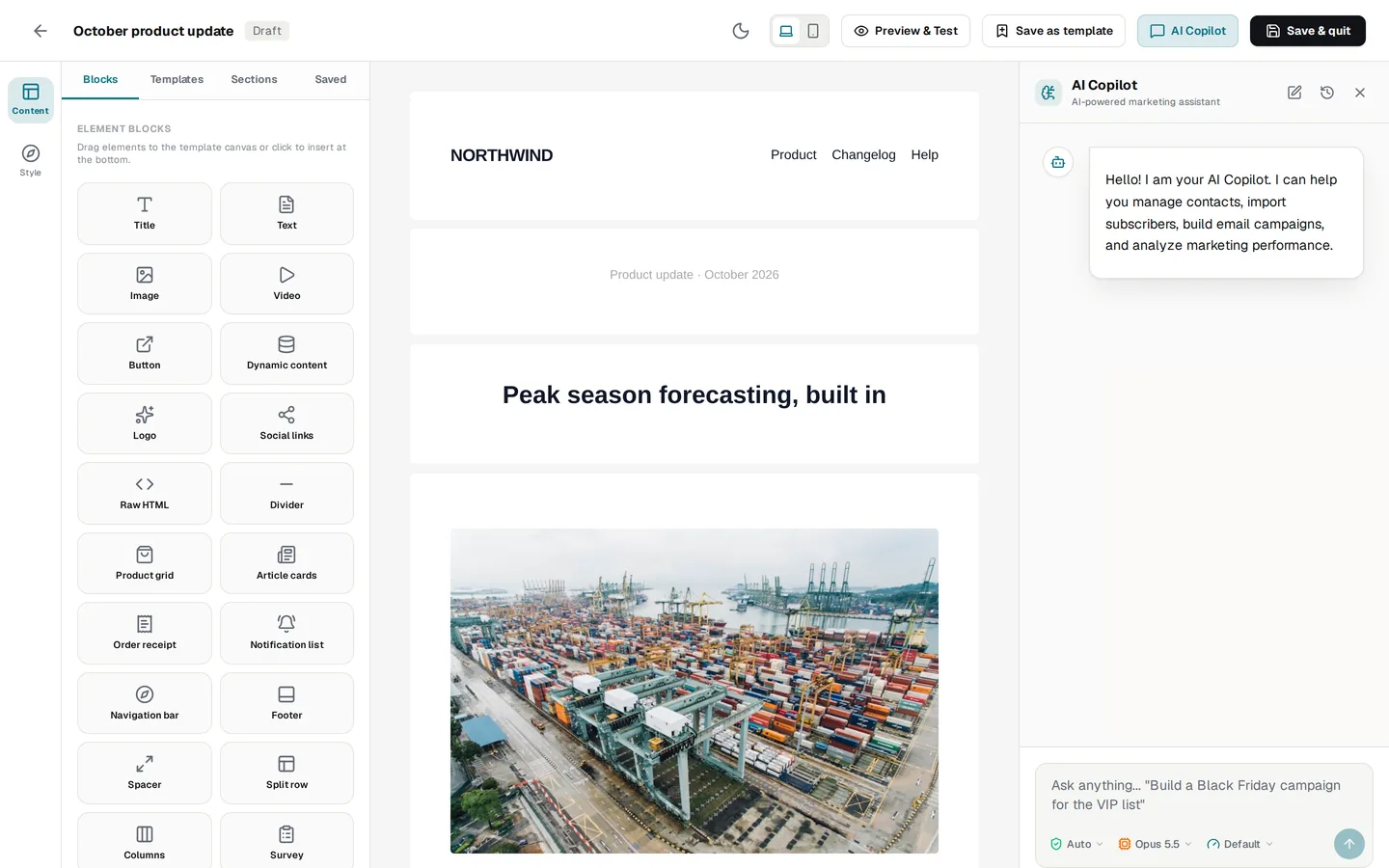
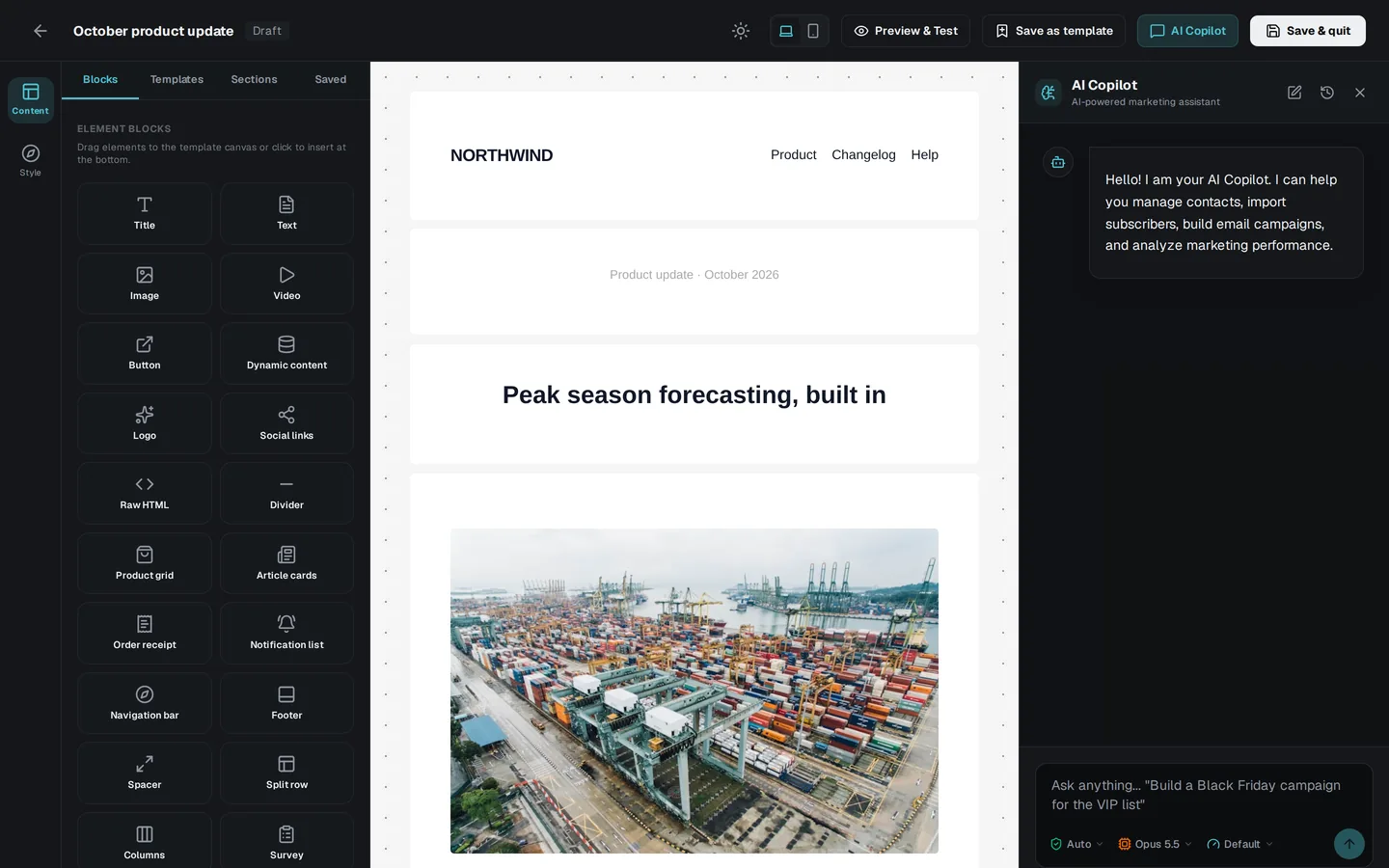
Designs built block by block.
With the design tools, your AI app builds an email design block by block, as a draft you open and change in the builder.
Credits and confirmation
What it costs, and what needs you.
searchPeople uses 1 credit for each person it returns, from the workspace's monthly allowance. A credit costs £0.004$0.006. searchCompanies uses credits too, and both say so in their descriptions.
Emails aren't returned over MCP. You save people in Prospect Search, and each verified email found then uses 1 credit. Your AI app can read the saved emails afterwards.
- Searches use credits, and are marked so your AI app knows
- The MCP server can't reveal an email or save prospects: you do that in the app
- It can't send or schedule a campaign
- Tools that send email (sequences, proposals) are marked destructive
- One key per app, so you can revoke one without touching the others
Set it up
Read the MCP docs.
Not yet
What it doesn't do.
So you know before you set it up:
- MCP works on a MagpieCRM workspace and its data: there's no MCP access without one.
- It can't reveal emails, save prospects, or send or schedule a campaign.
- The APIs, for your own product, are in early access.
FAQ
Questions, answered.
Do I need a MagpieCRM workspace?
Yes, on Magpie Cloud. Plans start at £10 a month: see MagpieCRM's pricing.Yes, on Magpie Cloud. Plans start at $15 a month: see MagpieCRM's pricing.
Which AI apps work?
Any that speak MCP over Streamable HTTP, such as Claude Code, Cursor and Codex CLI. Setup for Claude Desktop and the OpenAI API is in MagpieCRM's MCP docs.
Can my AI app send email?
Not on its own. It can't send or schedule a campaign. Adding people to a sequence, starting one, or emailing a proposal leads to email being sent. Those tools are marked destructive, so AI apps that respect that ask you before running them.
Does it return email addresses?
No. searchPeople returns people, not emails. Save the people you want in Prospect Search, and their work emails are found and checked as they're saved.
Is this the same as the APIs?
No. MCP works on your workspace and its data, with a key made there. The APIs are planned for your own product, with keys of their own: neither works in the other's place.
Keep exploring
Related

Build on the engine behind MagpieCRM.
The APIs are in early access. Tell us what you'd use them for, and we'll write when your key is ready.